
The Bricks Builder AI That Generates Native Sections 10x Faster Without Breaking Your Design System.
Meet BBAIAgent (Bricks Builder AI Agent), the AI agent built specifically for Bricks Builder. Describe a layout in plain words, paste a screenshot, or convert existing HTML and CSS, and it generates clean, production-ready sections right inside your editor. It reads your active Theme Styles, Color Palettes, and Global Variables, so everything it builds matches your site.
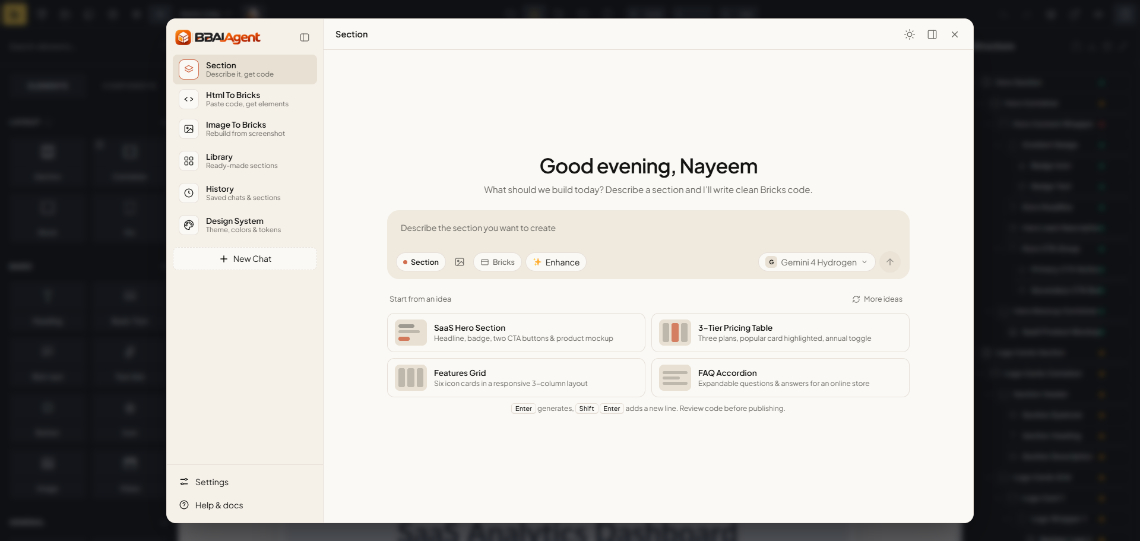
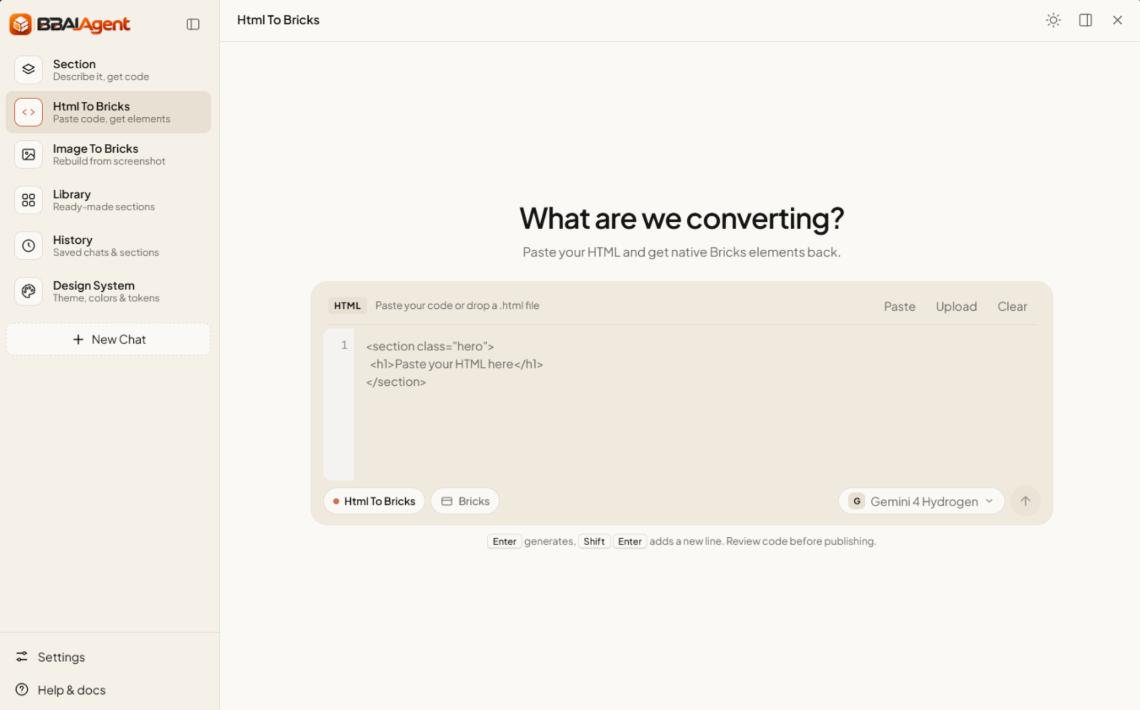
Four Ways Our Bricks Builder AI Agent Ships Flawless Design
Start from a plain prompt, refine ideas with our Multi-Step Enhancer, paste any screenshot or convert existing HTML/CSS. Every workflow outputs editable native Bricks elements.
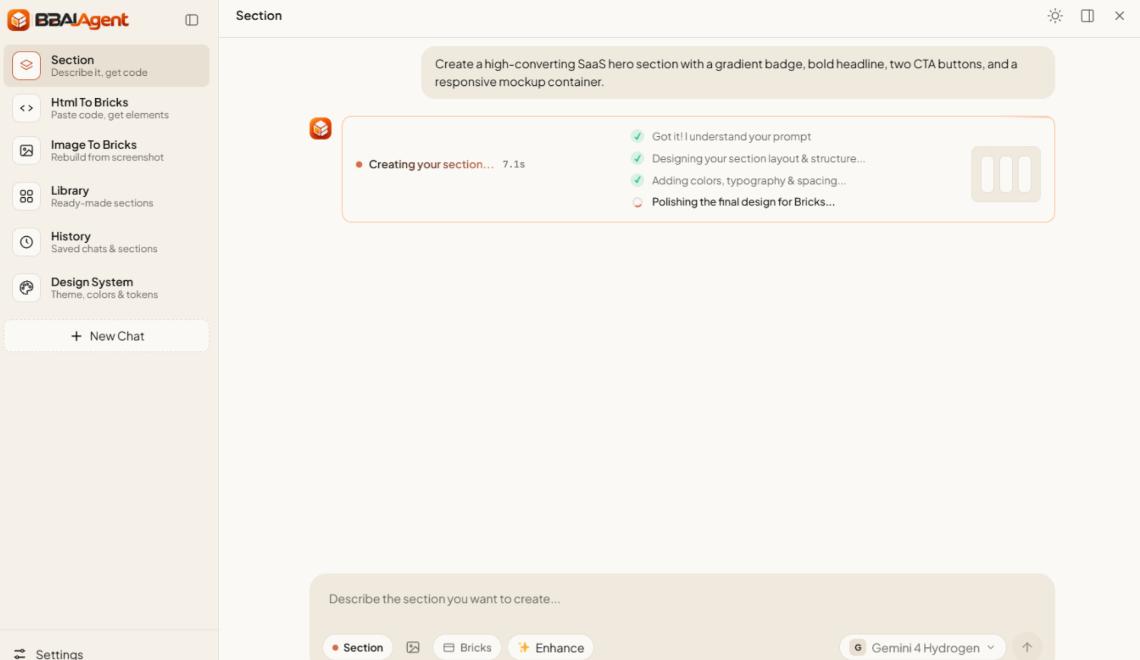
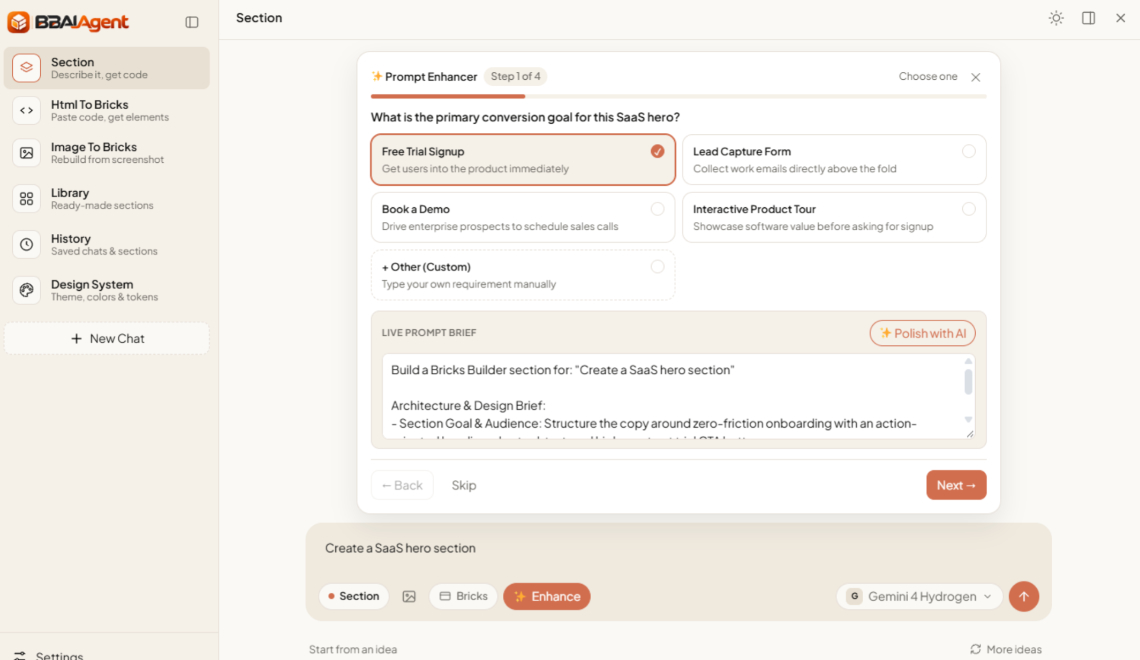
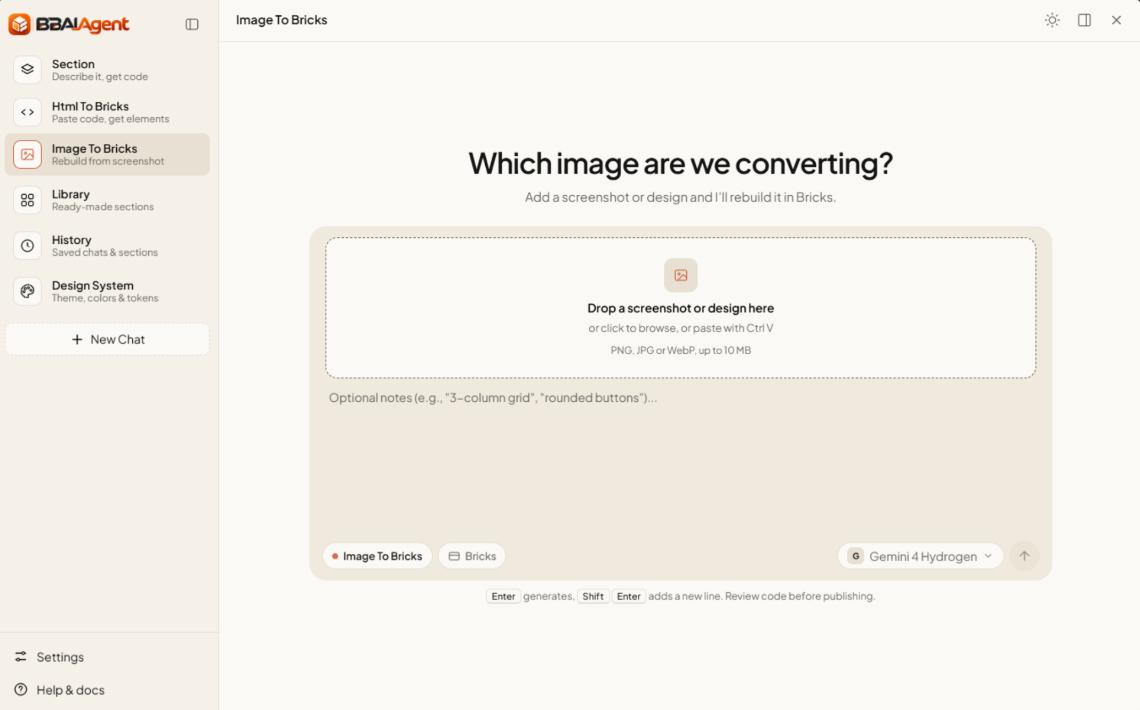
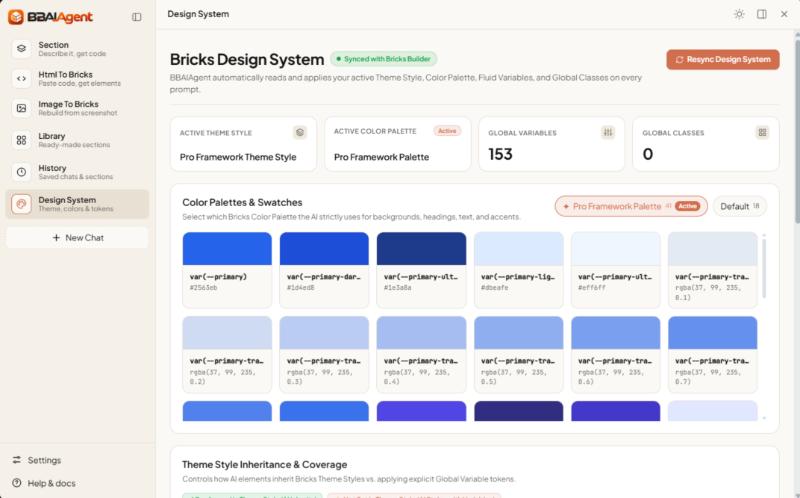
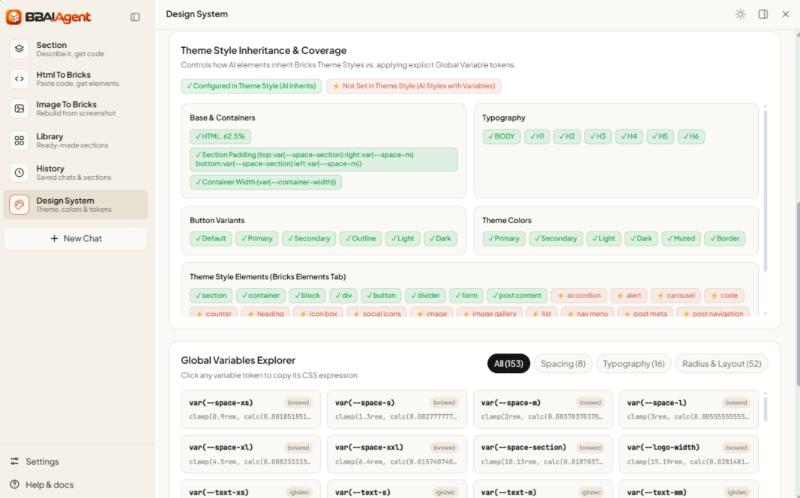
Deeply Synced With Your Active Bricks Theme Styles & Variables
Before generating a single element, BBAIAgent inspects your live Bricks sites, ensuring every section looks like you built it manually inside your site's design system.
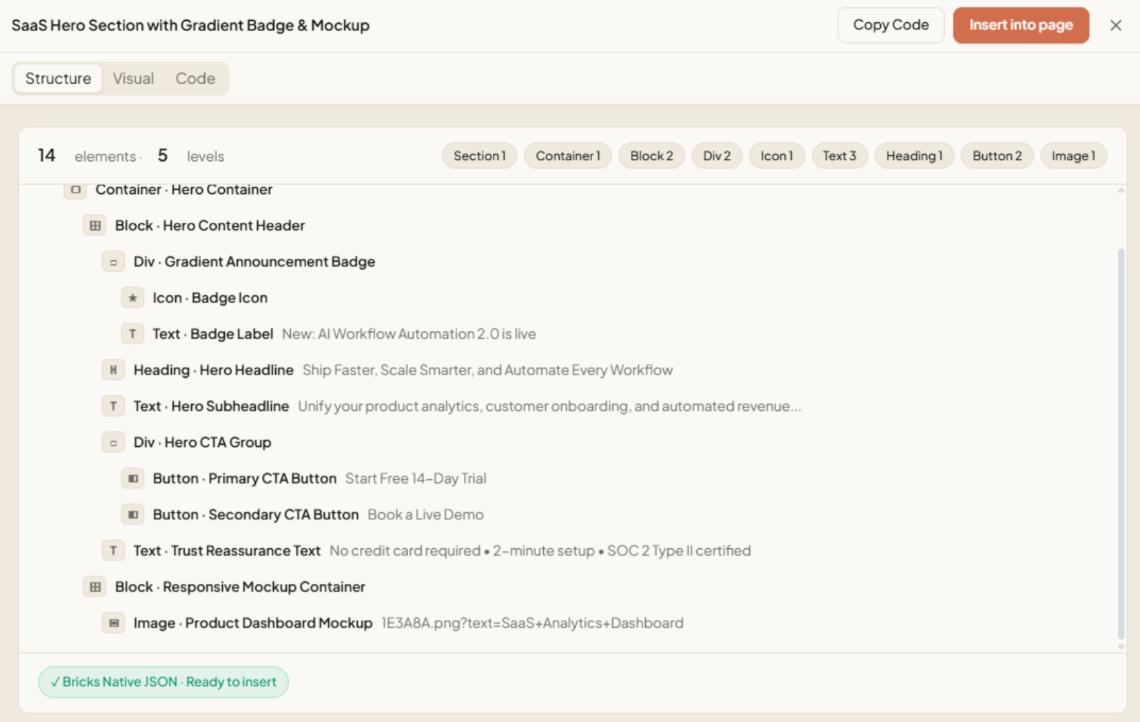
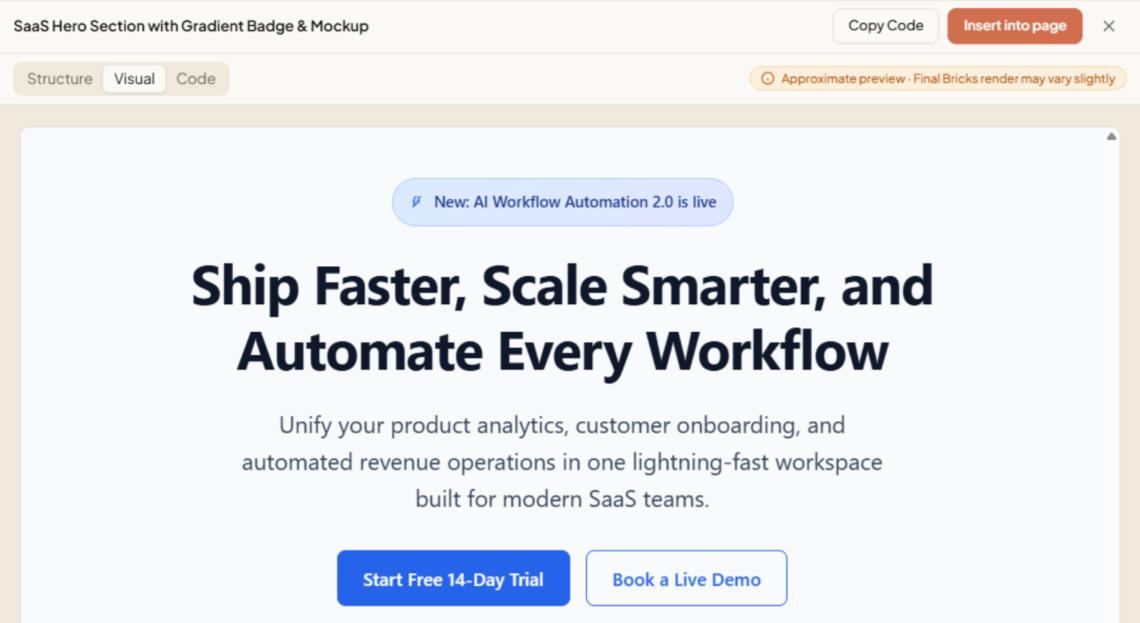
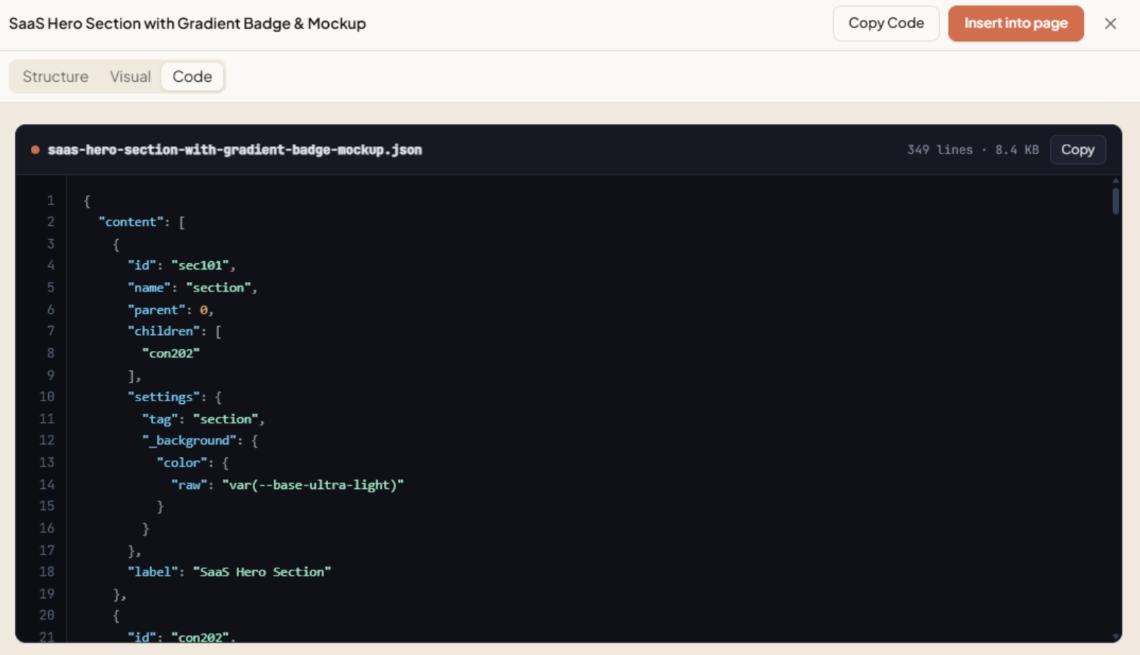
Inspect Structure, Visual Preview & JSON Before You Insert
Every generated section opens inside a 3-way inspector right beside your prompt—verify the Bricks element tree, preview live styles with zero extra tokens, or inspect the clean JSON before one-click insertion.
Three Everyday Bricks Utilities—Built Right Into One Plugin
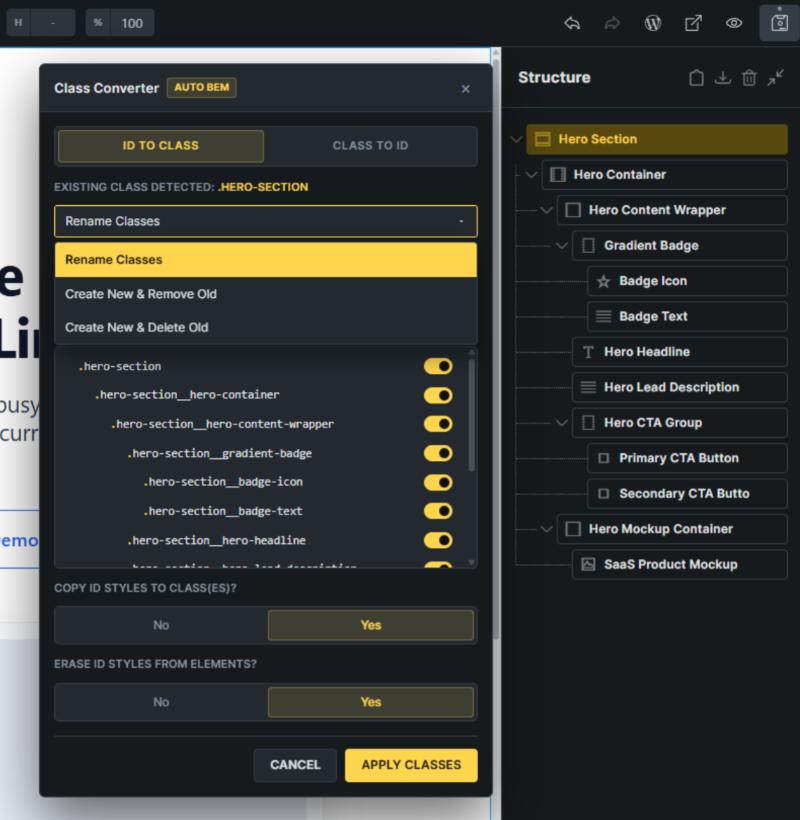
Auto BEM & Class Converter
Click BEM on any element in the Bricks Structure Panel to batch-generate clean block__element Global Classes for the entire nested subtree—or migrate existing class styles back into element IDs.
- One-click subtree preview with custom delimiter
- Copy ID styles to Global Classes and erase ID styles cleanly.
- Smart conflict resolution: Rename, Create New & Remove Old, or Delete Old.
Visual Style Indicators
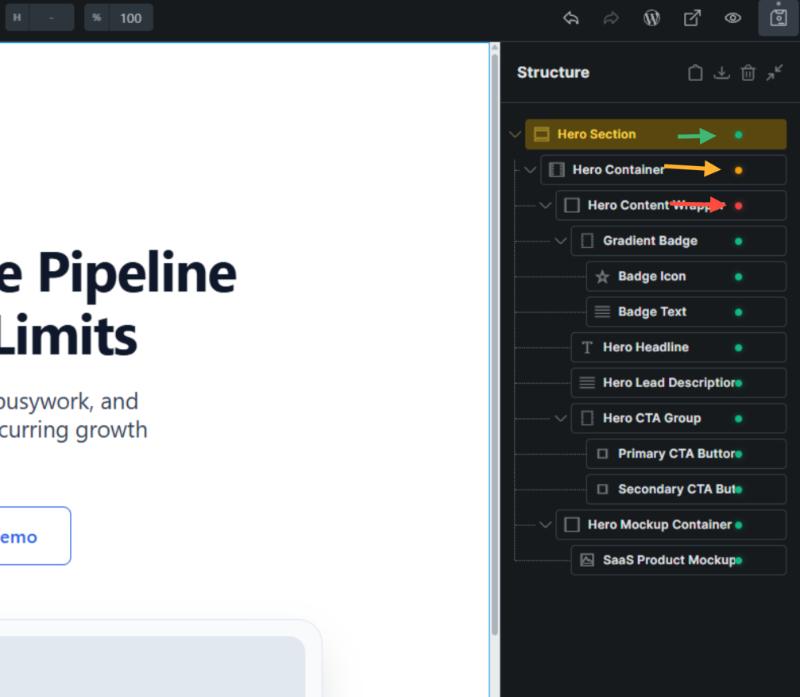
Spot styling sources instantly inside the Bricks Structure Panel without clicking every element. Audit whether each element carries ID styles, Global Class styles, or both at a glance.
- Three visual display modes: Status Dots, Left Accent Borders, or Colorized Labels.
Admin Bar & Bricks Quick Navigator
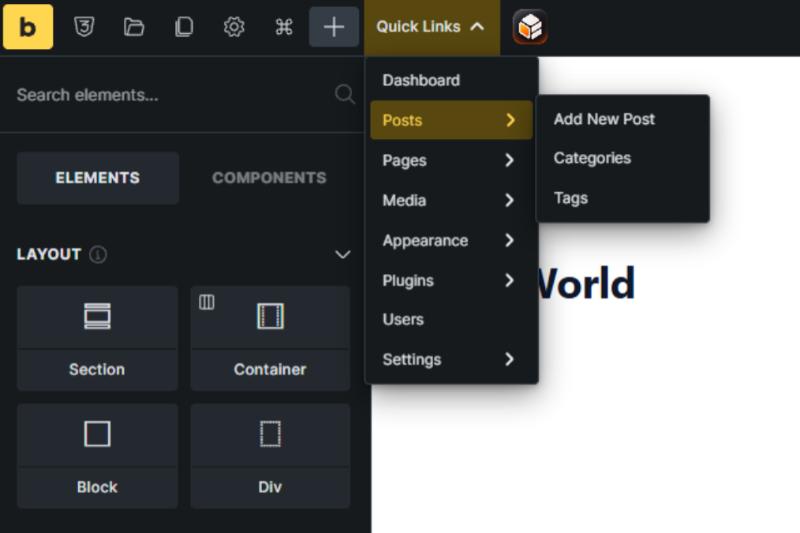
Navigate effortlessly between Pages, Media, Plugins, or custom URLs without leaving your current screen—directly from the WordPress Admin Bar and Bricks top toolbar.
- Build 2-level nested dropdown menus with one-click WordPress presets.
- Customize menu label, searchable Dashicons picker, and new-tab behavior.
- Render the Quick Links dropdown right inside the Bricks Builder toolbar.
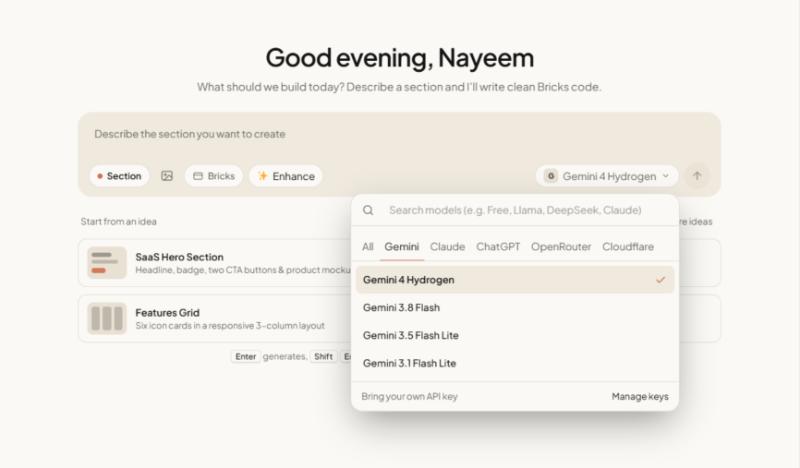
Zero AI Markups—Run Bricks Builder AI Agent for Free
- 5 Providers: Gemini, Claude, OpenAI, OpenRouter & Cloudflare Workers AI.
- Free / Paid Filter: Instantly search and filter free models .
Pay Once. Build Unlimited Bricks Design Forever.
No recurring subscriptions. No feature gating. Both plans unlock 100% of Bricks Builder AI Agent and Toolkit Suite—the only difference is the number of websites.
Personal Plan
1 WebsiteIdeal for solo creators and site owners building on a single Bricks Builder website.
- ✓1 Active Website License
- ✓All Features Included: Section, Image & HTML to Bricks
- ✓Multi-Step Prompt Enhancer
- ✓Auto BEM, Visual Style Indicators & Quick Navigator
- ✓Unlimited AI Generations (BYOK · 5 Providers)
- ✓Lifetime Plugin Updates & Support
Agency Plan
Unlimited WebsitesBuilt for freelancers, studios, and agencies shipping high-converting Bricks sites for clients.
- ✓Unlimited Websites Personal & Client Sites
- ✓All Features Included: Section, Image & HTML to Bricks
- ✓Multi-Step Prompt Enhancer
- ✓Auto BEM, Visual Style Indicators & Quick Navigator
- ✓Unlimited AI Generations (BYOK · 5 Providers)
- ✓Lifetime Plugin Updates & Support
Black Friday
Four tools for $99 Only, instead of $326. Pay once
BBAIAgent, NAToolKit Pro, HappySEOReports and BricksTemplate. One payment, no yearly fee.
Everything You Need to Know Before Buying
What is the difference between the Personal and Agency LTD plans?
Do I need to pay monthly for AI tokens or credits?
Ready to Ship Bricks Sections in Seconds?
Get lifetime access to Bricks Builder AI Agent, Adaptive Design System Engine, and Productivity Toolkit today.